To take M-Pesa on your website, you need a Paybill or a Till in your business’s name. Both work with M-Pesa Express, the prompt that pops up on the customer’s phone and asks for their M-Pesa PIN, so on your website nobody types a number. The differences are in who can get one, who pays the charges, and how you match a payment to an order.
Checked against Safaricom’s published tariffs and requirements on 23 September 2026.
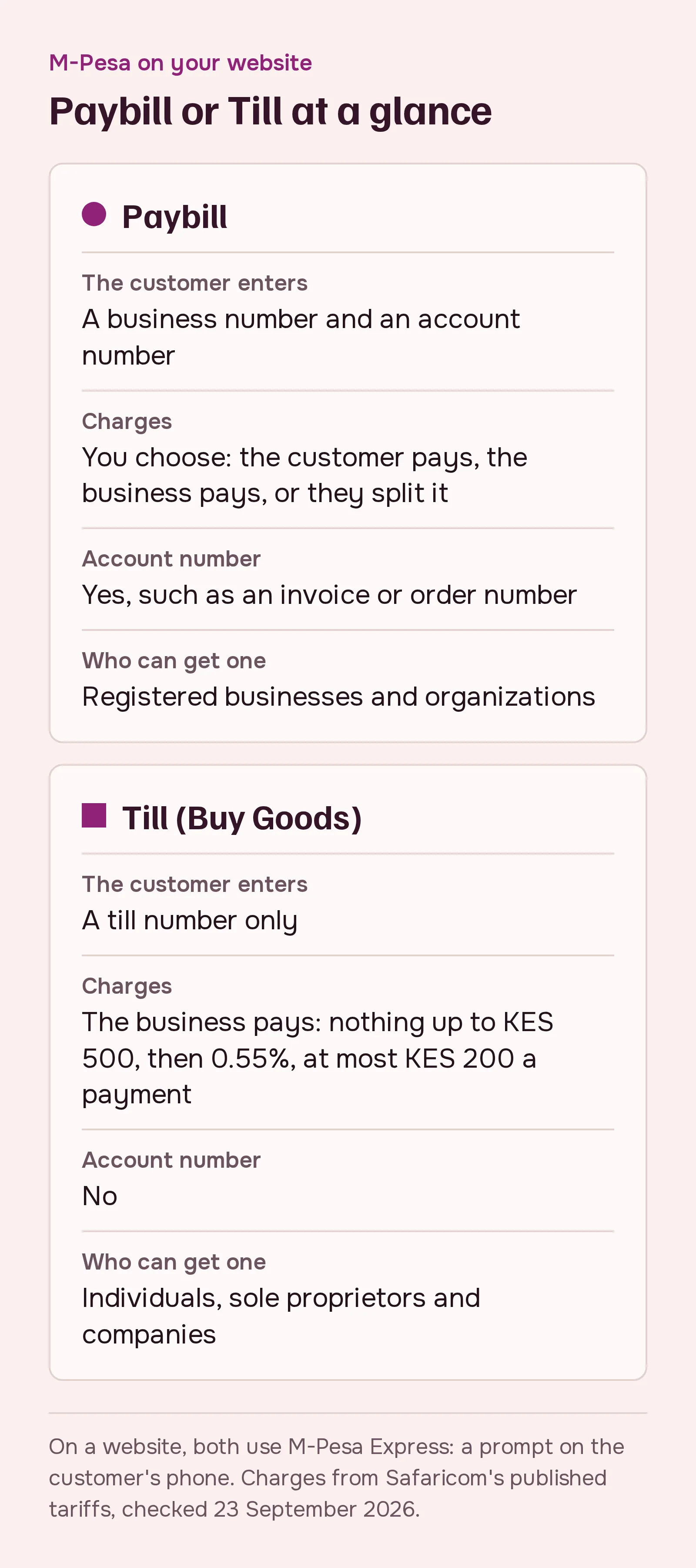
What each one is
A Paybill is the number customers use to pay bills. They enter your business number and an account number, such as an invoice or order number.
A Till, or Buy Goods, is the number customers use in shops. They enter the till number only.
Who can get which
Safaricom offers people who trade without registering a Till only. Sole proprietors and limited companies can apply for either. Safaricom’s 2024 list offered non-profits, churches, schools and groups a Paybill; its 2026 list doesn’t set this out, so confirm what’s available when you apply.
A Paybill needs a valid registration document or licence. The documents for each type of business are in The documents you need before your website can take M-Pesa.
Who pays the charges
With a Till, the business pays. From Safaricom’s tariff published in August 2026:
- the customer pays nothing
- the business pays nothing on payments up to KES 500
- above that, the business pays 0.55% of the payment, up to KES 200
Some older Safaricom pages still show a lower threshold of KES 200, so check the tariff that applies when you sign up.
With a Paybill, you choose. Safaricom offers three tariffs:
- the customer pays the whole charge (“Business Bouquet”)
- the business pays the whole charge (“Customer Bouquet”)
- the two split it (“Mgao”)
The total charge depends on the amount. Some of the bands from Safaricom’s Paybill tariff (April 2024):
| Payment | Total charge |
|---|---|
| Up to KES 100 | KES 0 |
| KES 101 to 500 | KES 5 |
| KES 501 to 1,000 | KES 10 |
| KES 1,001 to 1,500 | KES 15 |
| KES 3,501 to 5,000 | KES 34 |
| KES 7,501 to 10,000 | KES 48 |
| KES 45,001 to 250,000 | KES 108 |
On the split tariff, a payment of KES 1,200 costs the customer KES 10 and the business KES 5.
Matching payments to orders
A Paybill payment carries an account number. That helps when customers also pay you by hand from their phone, for example school fees against a student number, or invoices against an invoice number.
A Till has no account number. That’s fine for a shop where every payment starts at your website’s checkout: the website knows which order each payment belongs to.
Our suggestion
- If customers will pay invoices, fees or accounts by hand as well as on your website, get a Paybill.
- If every payment happens at your website’s checkout, a Till is simpler, and your customers pay no charges.
- If you’re a non-profit, a church or a school, expect a Paybill.
Either way, the paperwork is what takes time: here’s the full list. And if you also want to take card payments, read M-Pesa straight from Safaricom, or through a payment gateway?
Sources
- Safaricom, Business Till
- Safaricom, Pochi la Biashara and Till charges, August 2026
- Safaricom, Paybill standard tariff
- Safaricom, M-PESA Paybill FAQs
- Safaricom, Lipa na M-PESA KYC Requirements 2026 and the 2024 edition
- Safaricom Daraja: M-Pesa Express and Customer to Business